Releasing a Mobile Application built with NativeScript
Preramble: Before I jump into how I plan on deploying, Please read Part 1 where I built a prototype, cover things that have changed within the last 5 years, setting up a development environment, and working with LLMs and a solo engineer.
Introduction
In this blog I'll be covering two aspects of "releasing", 1) some tidy-up, testing, and any small changes needed whilst keeping the main focus on 2) releasing this app to the Google Play Store (which I haven't done in over 5 years!).
Bugs
First thing first, I have a few bugs within the app. easy ones like titles not updating and having no validation checks. The biggest of the bugs is relating to reactivity - although, it's not obvious as the object that's not being reactive (the list of trips) is wrapped with vues ref method (vues way of making elements reactive). After typing one of the untyped objects and a quick restart, the reactivity has returned. Not a satisfying fix, I'll continue to test around this.
Testing & Feedback
Since I've been working on this for just over a day now I'll spend some time getting a few friends & peers to test the application and report back and feedback after a few hours of useage.
Clean Up
There's two parts to this; firstly - code. The code is currently very MVP-like, meaning its messy and If I was to revisit this a month later (which I do plan on doing) I'd be kicking myself. Secondly, styling and flows; Its barebone and lacks any style choices whatsoever - I'm hoping I'll get some feedback from the previous step that will help guide UX flows but for styling - I'm going to do some research on travel related apps and based my style around that.
Updating Trip Creation UX
Previously I had it so the user could create a trip from any screen - so if you were on a trip screen, you had a few choices 1) go back to the trips screen, 2) create a new item within the trip 3) view item and 4) create a new trip - this last flow felt redundant and confusing - So I've removed it to keep it simple.
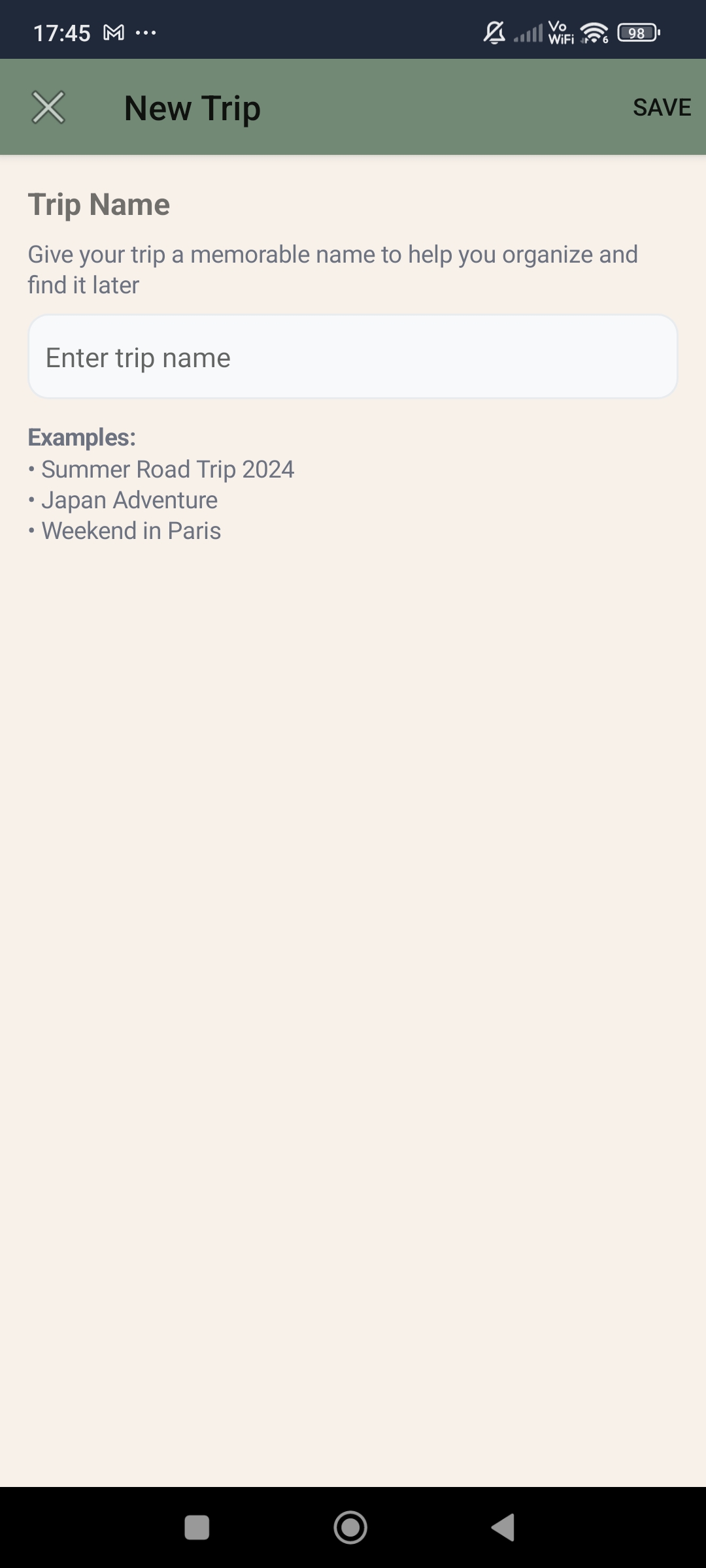
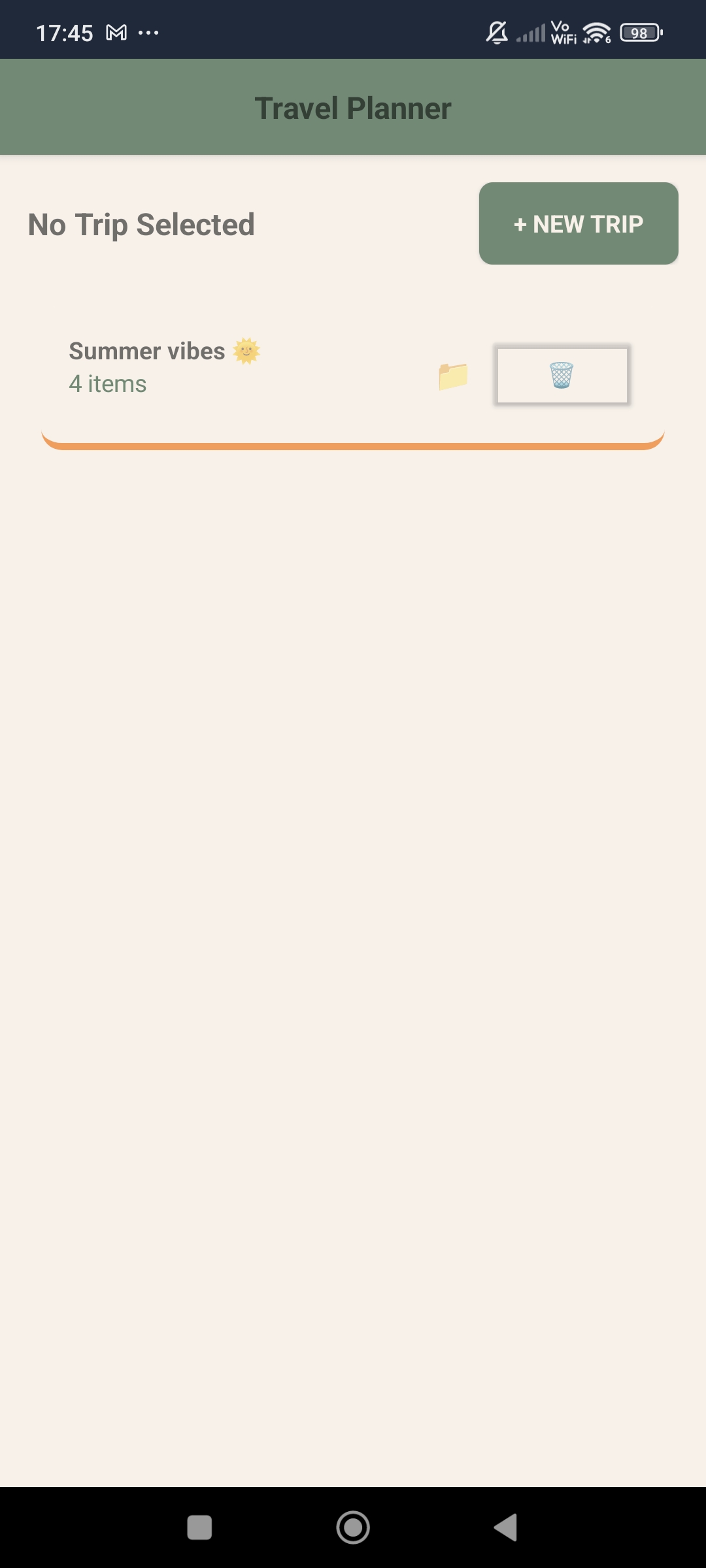
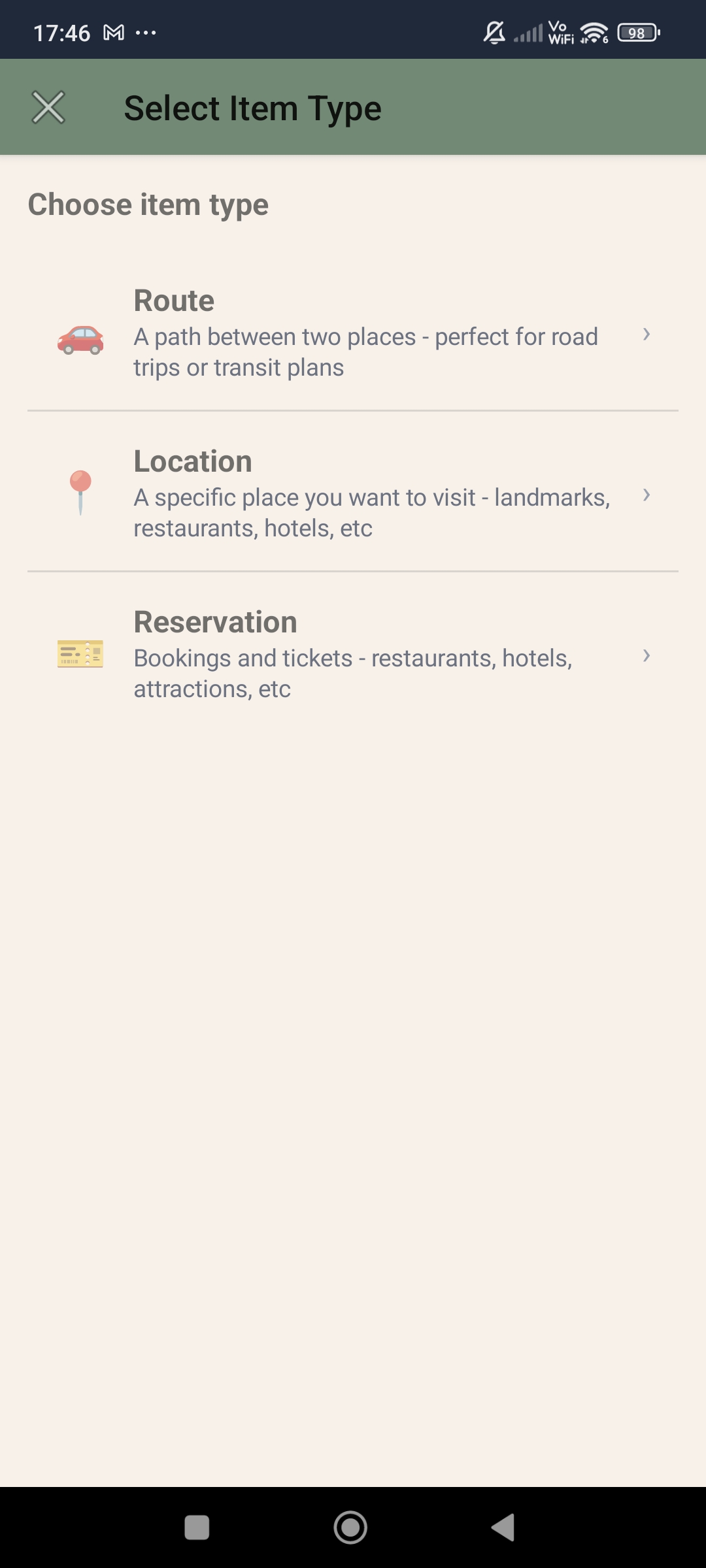
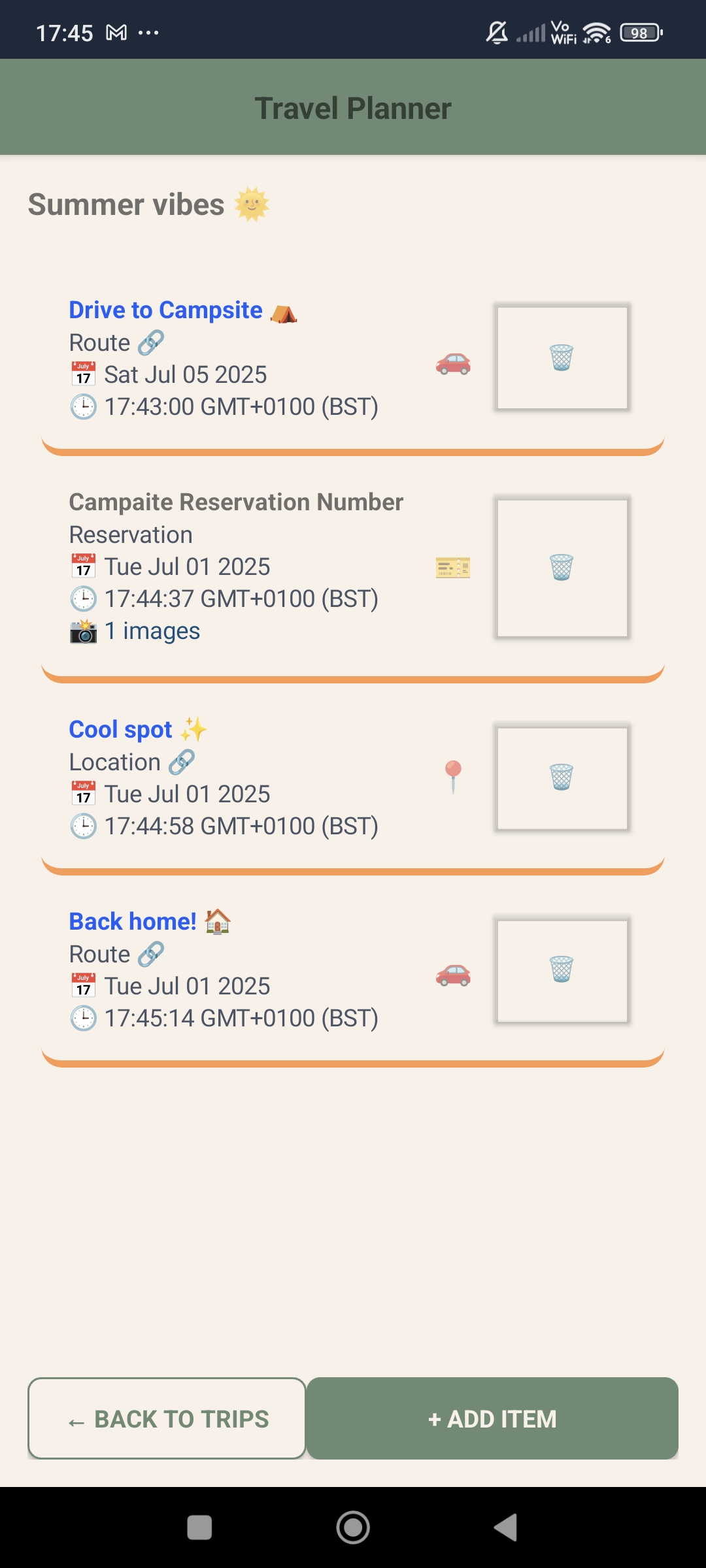
Images of the updated UX and trip creation flow
Dates & Times
Currently, there is no dates being displayed on the trips nor the items of the trips - this is a critical element needed to allow users to track when they are planning to be at a place. To keep things simple I'll allow users to add one date per item - the arrival date time.
There is no native way to use a date time picker with a prompt - this was a little expected but does make the flow janky as I'll need to wrap the date and time pickers in a modal, this means I'll need to do the same for the other prompts to stay consistent - Lets whack this in our good friend zed and see how he fairs. NativeScript Docs
const modalResult = await $showModal(DateTimePicker, {
  props: {
    initialDate: new Date(),
  },
  fullscreen: true,
});
Code of the modal used for a date time picker.
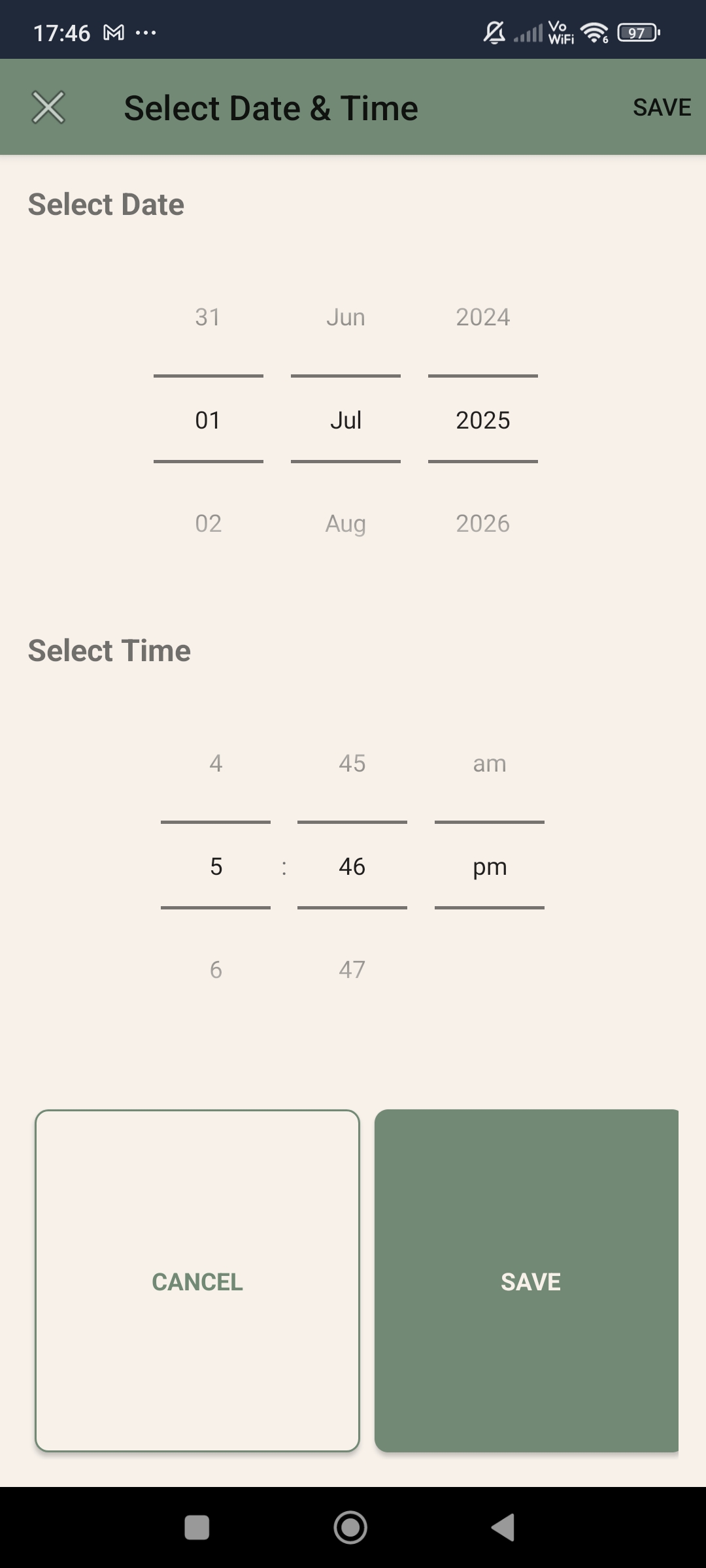
Image of the updated Datetime picker
Zed was able to quickly take what I'd done for the date time picker modal and replicate it for the other inputs. A nice quick win.
Feedback & Styling
After some user testing resulting in some useful feedback - the biggest feedback being there's no way to edit trips once they are created. This is quite a drawback but won't be something im going to implement into this release, maybe for a future iteration. Another piece was the styling is too bland - to be expected. I'll quickly adjust the styling based on the previous research and update the look and feel of the app throughout.
Releasing
So up until now I've not done much thinking around branding and naming. After some thought I decided on TripWeaver, simple and hopefully illustrates to the user that the application is for weaving trips via different modes of transport or stays.
Privacy Policy
If your planning on releasing an app - you'll need to get yourself a privacy policy; back in the day this was something you'd have to really only consider when you had enough traction (horrific legal advice, please ignore) but now we have services online that will help tailor and generate one after a few clicks... and course we have LLMs too - so combing some research, policy generators, and LLM's we can make a simple policy that covers us for the most part - again, if this app was to scale up I'd seek legal advice and move away from boilerplate'd policies. Since Google Play requires this policy to be hosted we'll just use notion and share the document with the web.
Assets
After navigating what feels like a grand archive of links and wizards - I've finally gotten all the assets ready for doing my first release, logos, banners, icons, screenshots, but not the build of the actual app - which come to think about it, I've been relying on ns preview this whole time; I've never actually built the app!
Building
Running ns build android took a fair amount of time and failed the first time round - complaining about a missing file icon.png - easy enough to fix; re-running gave me a output within the platform/android directory.
This feel familiar but after some scratching of my head I can see that this isn't what google play expects anymore - no more APK uploads, instead it wants a Android App Bundle or aab for short. This means I'll need to create a key and use said key to sign it.
I'll create a key by running keytool -genkey -v -keystore tripweaver-upload-key.jks -keyalg RSA -keysize 2048 -validity 10000 -alias tripweaver I'll go through the prompts for the key and save it. Now I'll build my aab by running:
ns build android --release --aab \
  --key-store-path ~/keys/tripweaver-upload-key.jks \
  --key-store-password your_keystore_password \
  --key-store-alias tripweaver \
  --key-store-alias-password your_key_password
After a few seconds we finally have a aab file!
Project successfully built.
Build time: 23.752 s.
The build result is located at: /home/david/projects/travel-planner/platforms/android/app/build/outputs/bundle/release/app-release.aab
What is Android App Bundle: https://docs.nativescript.org/tooling/publishing/android-app-bundle
How to use Android App Bundle for publishing: https://docs.nativescript.org/tooling/publishing/publishing-android-apps#android-app-bundle
Approval
There seems to be two gates I need to go through; the first one is verifying my identity which was to be expected but the second is a new addition - I need to verify the app has been tested by at least 12 people before releasing to production. This is a new addition to the Google Play Store and is a good one, it means that apps are more likely to be tested before being released. I can see this being a pain point for smaller developer teams (or solo developers like myself) I have a few friends who are willing to test the app, so I'll be able to get over this small hurdle. Ontop of this It'll need to be tested for a period of 12 days before I can release it to production. This is a good thing, but it does mean that I won't be able to release the app today.
On a side-note; If i knew this was a step beforehand I wouldn't have done testing beforehand and instead waited until this step to take the testing, as it would have saved me time and effort.
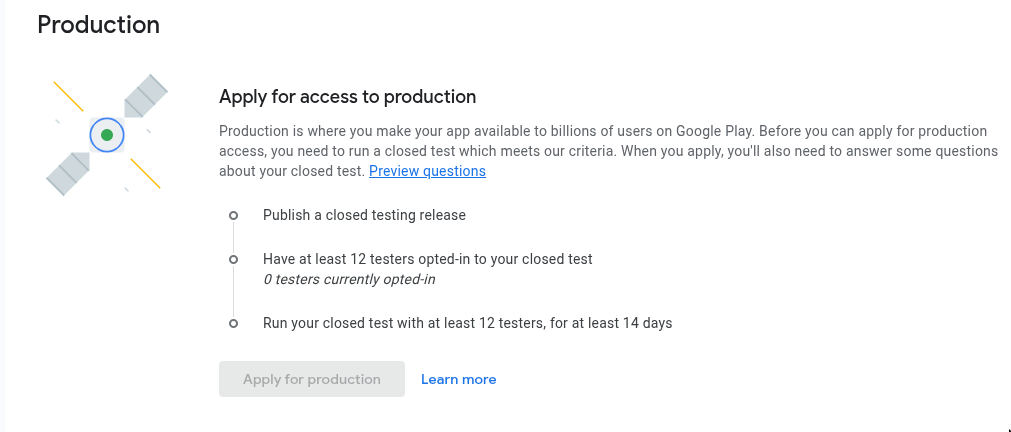
Image of the Google Play production release step
Retrospective
Linking
I created the "Route" and "Location" flows to help users plan routes they would be taking regardless of transportation type. Looking back; I think this could be more generic and the Route or Location could instead be a tag in which users could label their links.
Embedding
The lack of integration does take the user out of the app more times than I'd want - In the future I'll aim to have more bespoke integrations with mapping tools - this was an obvious shortfall of the current iteration in retrospective.
Next
I'll be spending the next few weeks testing the app and getting feedback from users. Once I have enough feedback, I'll be looking to implement some changes mentioned above and then release the app to production.