Building A NativeScript Travel Planner
- Introduction
- The Aim
- Step 1 - Setup NativeScript
- Setting up android studio
- Step 2 - Hello World
- Step 3 - Building
- Planning
- Core Functionality
Introduction
It’s been almost five years since I’ve touched NativeScript—my first dive into mobile app development. Back then, the appeal was that it was the only tool on the market that somewhat compared to React Native—but for more than just React. I was a full-stack engineer whose frontend of choice at the time was Vue.js. NativeScript was new and supported Vue.js, so I jumped on and, within a weekend, created and published my first-ever mobile application.
The Aim
Given all that, the aim is simple. I want to create a NativeScript travel application for easily planning and recording trips, privately.
Step 1 - Setup NativeScript
I'll need to spend the first hour or so setting up the environment - I do remember this being quite a trivial task. Visiting the https://nativescript.org/ website I can see that my beloved vue.js is still supported - so here's hoping they support vue 3.
Clicking on the logo, I'm directly put towards the NativeScript docs their setup steps. I don't want to list out there setup steps but its as follows.
- Setup Node
- Setup OpenJDK
- Setup Android Studio
Setting up android studio
Notable the step im least familiar with. A quick visit to https://developer.android.com/studio takes me to a big download button. This seems easy enough.
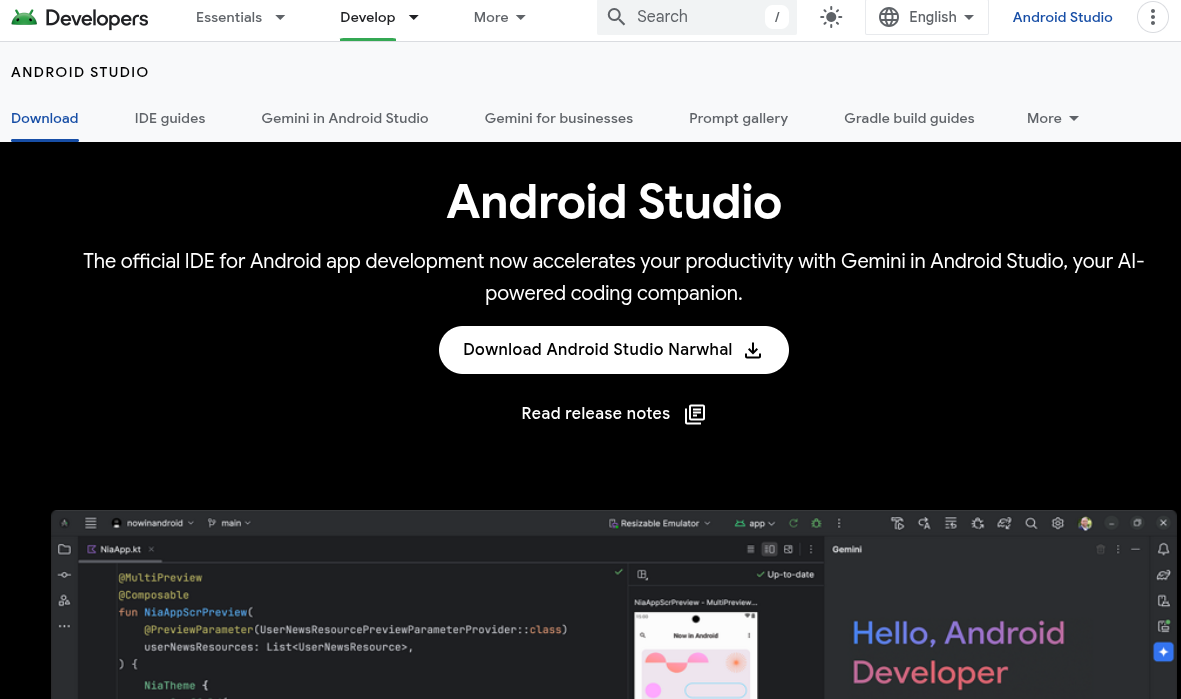
Android Studio homepage.
Unpacking and running Android Studio on Linux was a bit janky, but it downloaded emulation tools, which I can assume will be useful when locally developing my app.
Running the final step ns doctor android presented me with some errors.
✖ Cannot find a compatible Android SDK for compilation.
To be able to build for Android with your current android runtime, install one of the following supported Android SDK targets:
  android-17
  ...
  android-35
Supported targets vary based on what android runtime you have installed. Currently your app uses @nativescript/android null
Seems like although I’ve followed the steps, I haven’t been able to install Android 17–35. Opening Android Studio actually shows I have version 16. Strange.
Looking closer inside Android Studio, although I have Android 16, it actually contains Android API 36. So installing Android 15 should give me Android API 35, let’s see what happens.
Re-running ns doctor android hits me with all green
✔ Your ANDROID_HOME environment variable is set and points to correct directory.
✔ Your adb from the Android SDK is correctly installed.
✔ The Android SDK is installed.
✔ A compatible Android SDK for compilation is found.
✔ Javac is installed and is configured properly.
✔ The Java Development Kit (JDK) is installed and is configured properly.
✔ Local builds for iOS can be executed only on a macOS system. To build for iOS on a different operating system, you can use the NativeScript cloud infrastructure.
✔ Getting NativeScript components versions information...
✔ Component nativescript has 8.9.2 version and is up to date.
Step 2 - Hello World
Now I have my environment setup, lets try and get something running on an android phone. I will initialise the project by running ns create travel-planner --vue --ts - Hopefully this means its using vue 3.... of course not, after a few minutes scrambling about the docs, couldn't find any thing relating to vue 3 project templates. Quick google led me to nativescript-vue.org, lets give this a run; ns create travel-planner --template @nativescript-vue/template-blank@latest. Looks good to me! lets run it.
Investigating the package.json, where I'd usually expect to find some sort of entrypoint command - nothing.
{
  "name": "travel-planner",
  "main": "src/app.ts",
  "version": "1.0.0",
  "private": true,
  "dependencies": {
    "@nativescript/core": "~8.9.1",
    "nativescript-vue": "3.0.1"
  },
  "devDependencies": {
    "@nativescript/tailwind": "~4.0.3",
    "@nativescript/types": "~8.9.1",
    "@nativescript/webpack": "~5.0.24",
    "@types/node": "~22.14.0",
    "tailwindcss": "^4.1.3",
    "typescript": "^5.8.3"
  }
}
On the docs, we can run ns run android - lets see what it gives us, i remember a QR code directly within the terminal that you were able to scan to run the application remotely on ones phone - at the time I thought this was awesome, hovever, this time round.
Searching for devices...
Cannot find connected devices.
Emulator start failed with: No emulator image available for device identifier 'undefined'.
To list currently connected devices and verify that the specified identifier exists, run 'tns device'.
To list available emulator images, run 'tns device <Platform> --available-devices'.
Doing some digging, i was able to find the command i ran in the past - ns preview
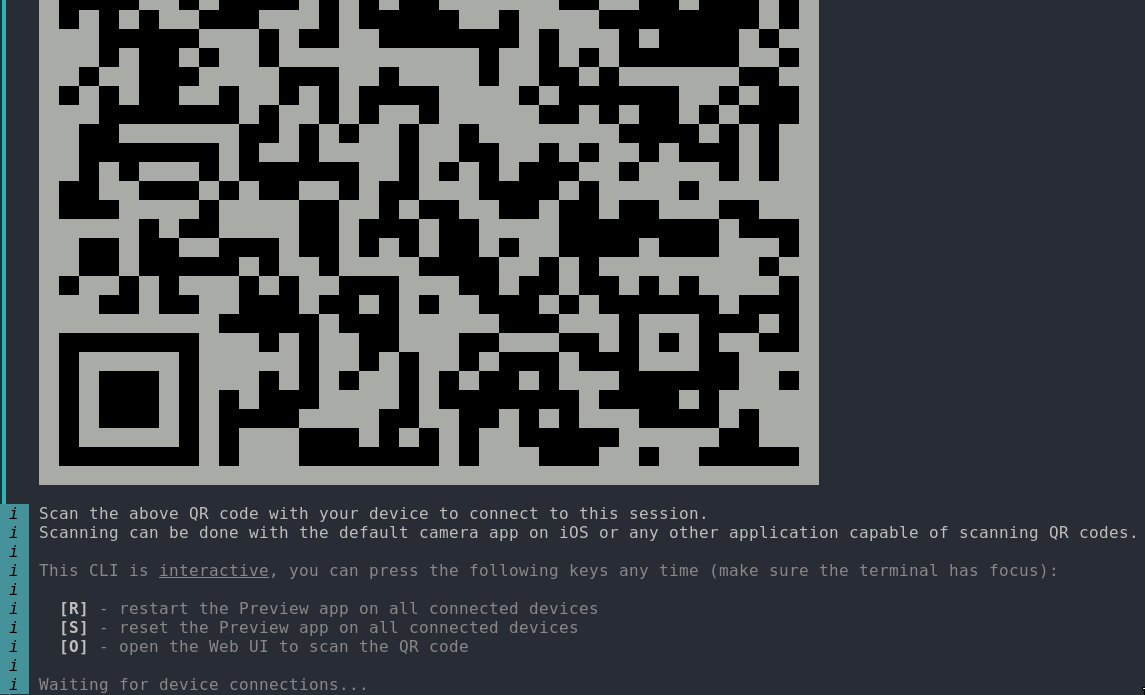
Terminal QR code output from ns preview.
Running! the device was found and connected, it built the source code and now i can see the app on my phone, and updating it takes about a second to rebuild and serve. I'm going to now spend some time getting involved in the docs so i can finally start building. I'll need to get myself familiar with https://docs.nativescript.org/ui/ and learn some components for what I'll need.
Building
I want to build a travel planner - I have a good idea what i want - A simple application that allows users to store a list of items that can be considered "points" that may include, locations, routes, and receipts. This will be a solo project, so I'll want some other perspectives ofcourse; hopefully capture any pitfalls or maybe steer me in a more sensible direction... Off to LLM's to get some insights.
An important step in any developers workflow should be prototyping quickly and getting feedback - If your building a small project that's only really meant to solve your use case - you'd usually skip this step and consider the MVP the prototype - We can use LLM's as a way to do some quick initial prototyping and iterating.
I got some fairly standard feedback about what to consider first; SQLite being the database of choice for the LLM - this might be the direction I end up going as I'm not against this; but I'll do some research before adopting.
At this point; you might want to go back and forth with the LLM to develop some iterations on the idea, but I'm feeling fairly confident that I'm heading in the right direction and there's probably not many unknowns.
So in summary some functional requirements:
- A user must be able to capture routes and link to google maps
- A user must be able to capture locations and link to google maps
- A user must be able to upload images to capture images associate them with reservations
- A user must be able to upload images to any list item as artefacts of said item
Planning
First I'll create a models directory and use this as our contract mechanism, making sure all models adhere to types specified here. A Trip has a list of TripItems which to begin with will be simple text based items with 3 different types.
interface TripItem {
  id: string;
  type: "ROUTE" | "LOCATION" | "RESERVATION";
  title: string;
  details: string;
}
As for design, I'll be keeping it simple and using mostly native elements and components. I'll reconsider design when I have core functionality in place
Core Functionality
Moving on to functionality I'll create a <Frame> with a <Page> inside. I want to keep this as simple as possible so I'll just use <GridLayout> and <ListView> to build the actual list component, with <Button> for adding to the list. My template now looks something like this:
<template>
  <Frame>
    <Page>
      <ActionBar>
        <Label text="Travel Planner" class="font-bold text-lg" />
      </ActionBar>

      <GridLayout rows="*, auto" class="p-4">
        <ListView row="0" :items="tripItems" class="list-group">
          <template #default="{ item }">
            <GridLayout columns="*, auto" class="list-group-item p-2">
              <StackLayout col="0">
                <Label :text="item.title" class="font-bold" />
                <Label :text="item.details" textWrap="true" />
              </StackLayout>
              <Label
                col="1"
                :text="
                  item.type === 'ROUTE'
                    ? '🚗'
                    : item.type === 'LOCATION'
                    ? '📍'
                    : '🎫'
                "
                class="text-lg"
              />
            </GridLayout>
          </template>
        </ListView>

        <Button
          row="1"
          text="+ Add Item"
          @tap="addNewItem"
          class="mt-4 bg-blue-500 text-white font-bold py-2 rounded-lg"
        />
      </GridLayout>
    </Page>
  </Frame>
</template>
The <Label> is the only real design choice that was made - but I'll be keeping things as simple as possible.
This works great. I am able to create items and see them on my list. But I want to be able to create multiple trips and add items to said list, on top of that I want save these lists to the users phone. I need to modify what we currently have to allow for the user to do this.
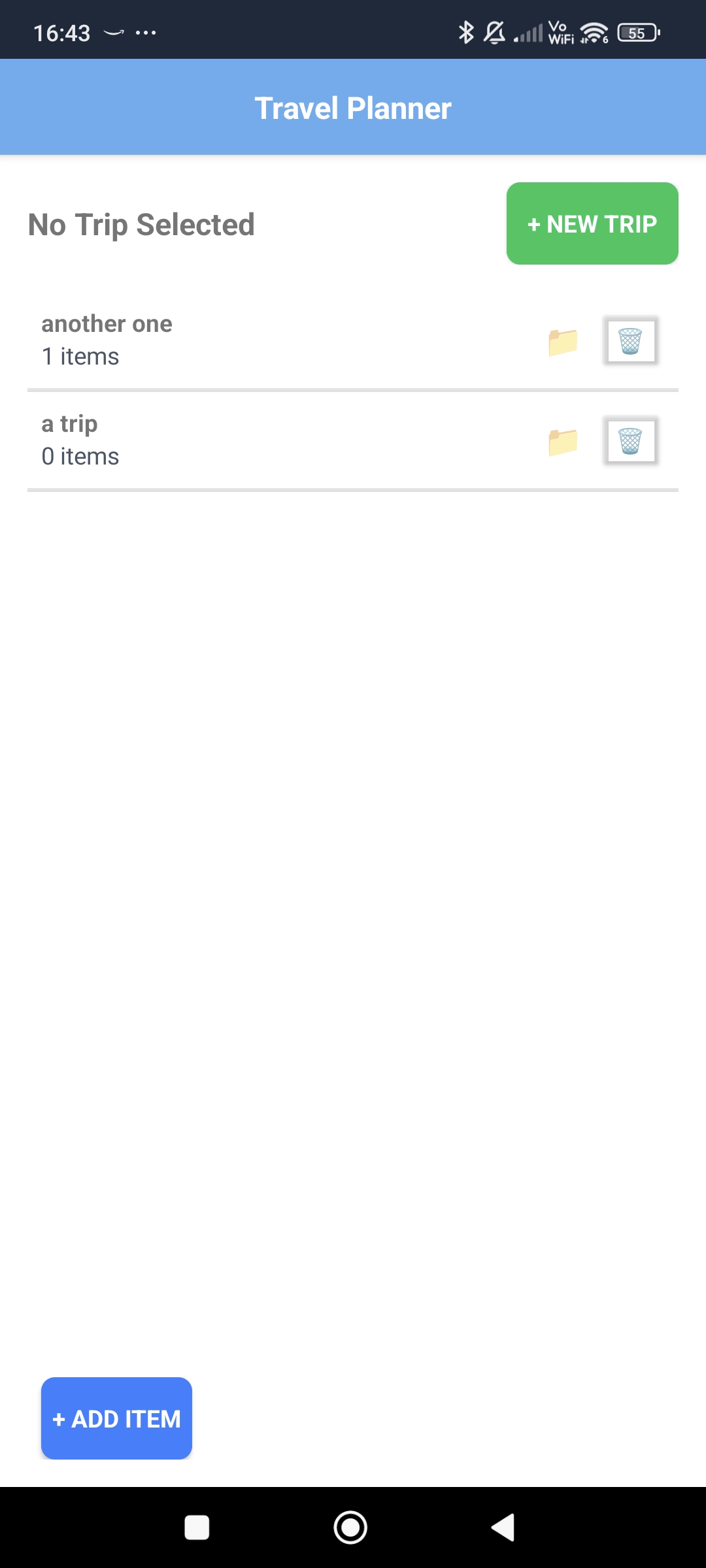
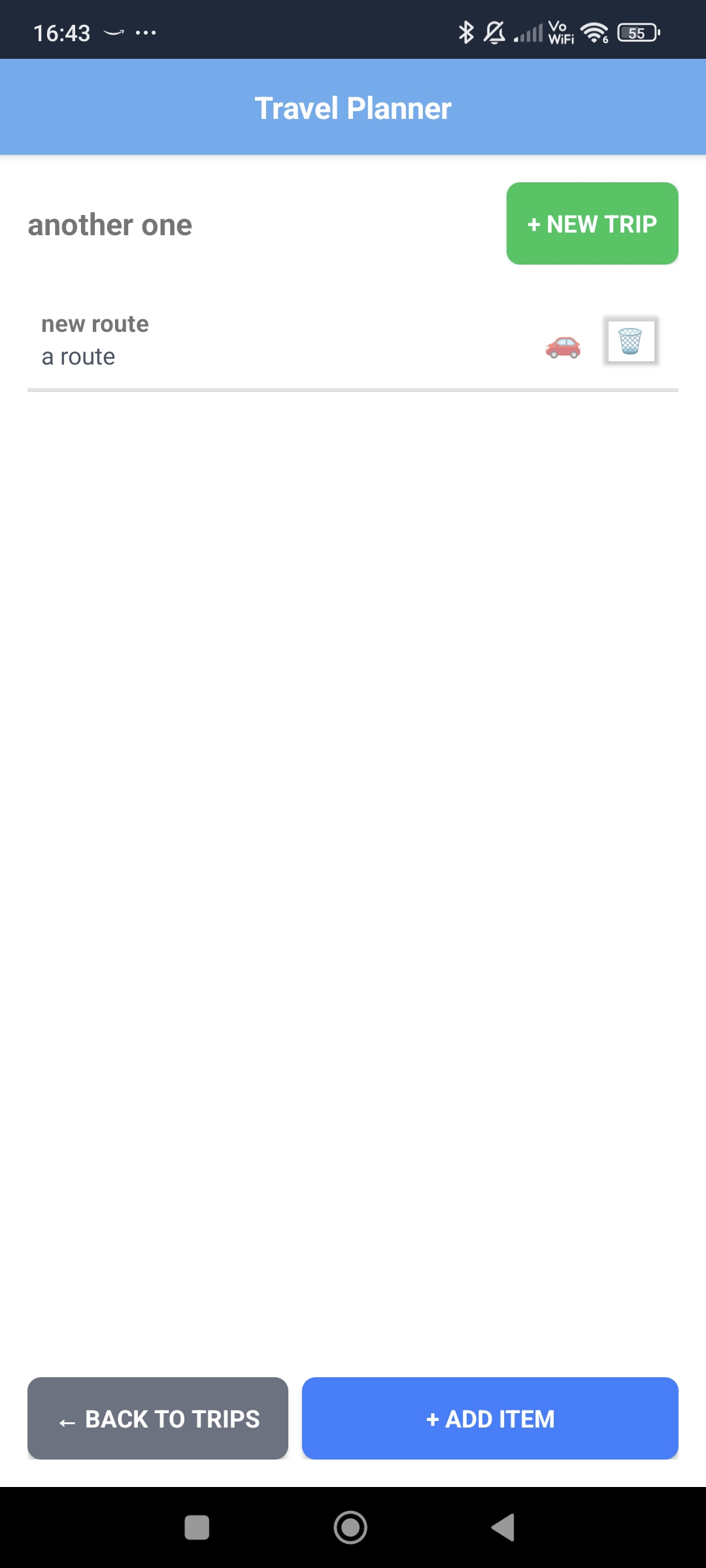
I'll start by creating a storage service. I'll want to emulate something like localstorage - a quick google I find something called ApplicationSettings where it pretty much acts the same way. Simple enough - create a few methods for doing some basic CRUD actions.
export function saveTrips(trips: Trip[]): void {
  try {
    const data: TripStore = { trips };
    const serializedData = JSON.stringify(data, (key, value) => {
      if (value instanceof Date) {
        return value.toISOString();
      }
      return value;
    });
    ApplicationSettings.setString(STORAGE_KEY, serializedData);
  } catch (error) {
    console.error("Error saving trips:", error);
    throw new Error("Failed to save trips");
  }
}
Example of using ApplicationSettings
At this point we've covered most of the requirements we set out to do - lets quickly revise whats missing.
- A user must be able to capture routes and link to google maps ✅
- A user must be able to capture locations and link to google maps ✅
- A user must be able to upload images to capture images associate them with reservations ❌
- A user must be able to upload images to any list item as artefacts of said item ❌
Essentially - we're missing the image component - I don't think we'll need to "capture" images but we will want to associate them to items. To allow a user to upload images from their phone their... phone?
After some more digging into the docs - I've identified I can use the ImagePicker plugin (https://docs.nativescript.org/plugins/imagepicker) - Some issues relating to permissions have stopped this being the case; instead of the image preferred I'm getting errors. Continuing with the documentation I've found that the android and IOS have different requirements - which makes sense. Updating these permissions within the App_Resources fixed my issue; which now leads me onto the final part - adding images to list items as trip artefacts.
So after this I now have my prototype. Which leads us to the fun part of deployment, I'll cover that in another article